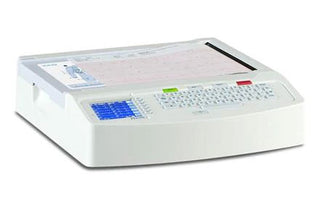
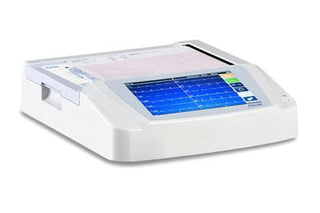
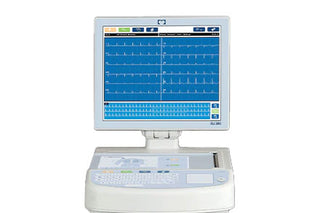
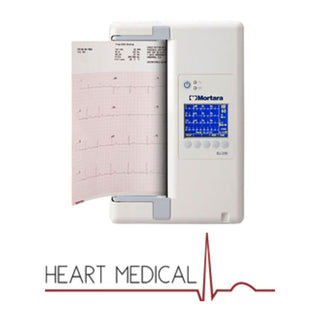
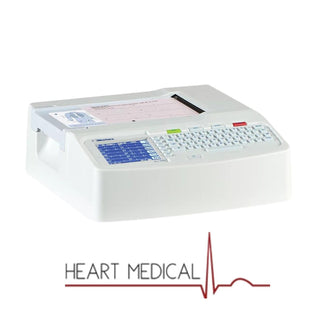
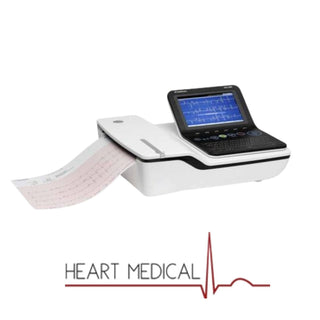
Integrating imaging systems like the GE Mac VU360 with PACS and other health IT platforms is crucial for modern healthcare facilities. The GE Mac VU360, an advanced diagnostic imaging tool, can easily interface with PACS and EHR. This integration enhances data accessibility, streamlines workflows, and improves collaboration among healthcare providers.
In this guide, we will discuss the steps involved in integrating the GE Mac VU360 with PACS and other health IT systems.
About GE MAC VU360

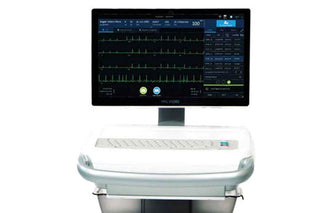
The GE MAC VU360 is a cutting-edge resting ECG workstation designed to meet the dynamic needs of today's healthcare environments. Its advanced features and user-centric design enable healthcare professionals to make swift, informed cardiac care decisions at the point of care.
Key Features of the GE MAC VU360
-
Smart Acquisition Technology: Enhances ECG quality and efficiency by:
- Smart Auto-ECG Algorithm: Automatically captures and displays the first clean, high-quality ECG, reducing the need for repeat tests.
- Smart Lead Technology: Detects when a new patient is connected, minimizing the risk of data mix-ups.
- Enhanced Hookup Advisor: Provides real-time guidance to ensure optimal waveform quality, even for less experienced users.
- Comprehensive ECG Analysis Programs: Equipped with GE HealthCare's full suite of ECG analysis tools, including the Marquette™ 12SL™ program, delivering accurate and reliable interpretations that adhere to industry standards.
- Zero Phase Distortion (ZPD): Ensures consistent accuracy of the ST segment in both 12-lead and rhythm ECGs, providing clinicians with dependable data for diagnosis.
- High-Definition Pacemaker Detection: Identifies artificial pacing signals that may not be visible on standard ECG waveforms, allowing for real-time pacemaker annotation and improved patient assessment.
- Improved Left Ventricular Hypertrophy (LVH) Recognition: Incorporates Cornell criteria, in line with ACC/AHA recommendations, to enhance the detection of LVH, aiding in the early identification of cardiac conditions.
- Ergonomic and Hygienic Design: Features a height-adjustable trolley and tiltable display to accommodate users of varying heights, promoting comfort during use. Its smooth, easy-to-clean surfaces and enclosed storage areas help reduce the risk of cross-contamination, supporting infection control protocols.
- Seamless Workflow Integration: Integrates effortlessly with systems like MUSE NX™, streamlining workflows by providing quick access to patient data, facilitating immediate ECG routing for review or consultation, and supporting DICOM ECG workflows for compatibility with various third-party systems.
- Robust Security Measures: Employs multiple layers of security, including data encryption, user authentication, and secure network connections, ensuring compliance with privacy standards and safeguarding sensitive information.
Integrating the GE MAC VU360 ECG system with your Picture Archiving and Communication System (PACS) is essential for enhancing workflow efficiency and ensuring seamless data management in healthcare settings.
How to Integrate the GE Mac VU360 with PACS?

Step 1: Assess System Compatibility
- Review Specifications: Ensure that both the GE MAC VU360 and your PACS support standard communication protocols such as DICOM (Digital Imaging and Communications in Medicine) and HL7 (Health Level Seven).
- Software Versions: Verify that the software versions of both systems are up-to-date and compatible to prevent integration issues.
Step 2: Select the Appropriate Integration Method
- DICOM Configuration: The MAC VU360 supports DICOM for transmitting ECG data.
- Access DICOM Settings: Navigate to the system settings on the MAC VU360 and select the DICOM configuration option.
- Enter PACS Information: Input the PACS AE Title, IP address, and port number to establish a connection.
- HL7 Integration: If your PACS utilizes HL7 for data exchange, ensure that the MAC VU360 is configured to communicate via HL7 protocols.
Step 3: Configure Network and Security Settings
- Network Setup: Ensure that both devices are connected to the same network and can communicate effectively.
- Data Security: Implement encryption and authentication measures to comply with patient data protection regulations.
Step 4: Perform Integration Testing
- Test Data Transmission: Conduct tests by transmitting sample ECG data from the MAC VU360 to the PACS to verify successful data transfer.
- Validate Data Integrity: Ensure that the transmitted data is accurately displayed and stored within the PACS without errors.
Step 5: Train Healthcare Personnel
- User Training: Provide comprehensive training sessions for staff to familiarize them with the integrated system's functionalities.
- Troubleshooting Guidance: Equip users with the knowledge to identify and resolve common issues that may arise during operation.
For a visual overview of the MAC VU360's Smart Acquisition features, you can watch the following video:
MAC VU360 SMART Acquisition Video – English | GE Healthcare
How to Integrate GE Mac VU360 with Other Health IT Systems?

Integrating the GE MAC VU360 ECG system with various Health Information Technology (IT) systems—such as Electronic Health Records (EHR), Radiology Information Systems (RIS), and Hospital Information Systems (HIS)—is essential for enhancing clinical workflows and ensuring seamless data exchange.
Step 1: Assess Integration Requirements
- Identify Target Systems: Determine which Health IT systems (EHR, RIS, HIS) need integration with the MAC VU360 to meet your facility's operational needs.
- Define Integration Objectives: Clearly outline the goals of integration, such as improving data accessibility, streamlining workflows, or enhancing patient care.
Step 2: Ensure Standards Compatibility
- Adopt Standard Protocols: Utilize industry-standard protocols like HL7 for clinical data exchange and DICOM for imaging data to facilitate interoperability between the MAC VU360 and other systems.
Step 3: Develop Integration Interfaces
- Establish Interface Points: Identify and configure specific points where the MAC VU360 will connect with other systems to enable data sharing.
- Configure Data Mapping: Ensure that data fields from the MAC VU360 align correctly with corresponding fields in the target systems to maintain data integrity.
Step 4: Implement Network and Security Configurations
- Network Setup: Configure network settings to allow secure and efficient communication between the MAC VU360 and other Health IT systems.
- Security Measures: Implement robust security protocols, including data encryption and user authentication, to protect patient information and comply with regulatory standards.
Step 5: Conduct Comprehensive Testing
- Functional Testing: Perform tests to verify that data is accurately transmitted and received between systems without errors.
- Performance Testing: Assess the integration under various conditions to ensure reliability and responsiveness during peak operational times.
Step 6: Provide Training and Support
- Staff Training: Educate healthcare providers on using the integrated systems effectively, including accessing and interpreting data from the MAC VU360 within other platforms.
- Establish Support Channels: Set up mechanisms for ongoing technical support to address any issues promptly and maintain system performance.
Step 7: Plan for Maintenance and Updates
- Regular Maintenance: Schedule routine checks and updates to ensure all systems remain compatible and function optimally.
- Monitor Integration Performance: Continuously monitor the integration to identify and resolve potential issues before they impact clinical operations.
By following these steps, healthcare facilities can achieve a seamless integration of the GE MAC VU360 with various Health IT systems, leading to improved efficiency, data accuracy, and patient care outcomes.
Benefits of Integrating GE Mac VU360 with PACS and Health IT Systems
Integrating GE Mac with PACS and other health IT systems offers several benefits for healthcare providers, patients, and the entire healthcare system:
Enhanced Data Access
Integration makes storing and retrieving patient images and data from different systems easier. Healthcare professionals can access critical information from multiple devices and locations, ultimately improving efficiency.
Improved Collaboration
When imaging data is readily available, collaboration between healthcare teams improves. Radiologists, surgeons, and other specialists can view patient data in real-time, allowing them to make better, faster decisions.
Streamlined Workflow
With automatic data transfer between systems, the need for manual input is reduced. This automation eliminates or minimises human error risk and increases productivity across departments.
Better Patient Care
With faster data access, diagnostic images, and patient records, healthcare professionals can provide timely and accurate diagnoses, reducing patient wait times and improving overall care.
Troubleshooting Common GE Mac VU360 Integration Challenges
While integrating GE Mac VU360 with PACS is very beneficial, it also has some challenges. Here are some common issues and how to overcome them:
- Data Incompatibility Issues: Data differences between systems can occur, especially with older or proprietary software. To avoid this, it is important to ensure all the systems are updated and operate with open standards like DICOM and HL7.
- Security Concerns: Patient privacy is a top priority when dealing with sensitive information. Always use encryption and ensure compliance with HIPAA and other required systems to ensure patient data safety during integration.
- System Downtime: Integration may involve downtime, but reducing this impact is critical. Schedule integration during low-traffic hours and keep backup systems in place to ensure continuity of care.
Shop GE Mac VU360 EKG Machine From HeartMedical Now
Integrating GE Mac VU360 with PACS and other health IT systems is a valuable investment for any healthcare facility. At HeartMedical, we offer the latest GE Mac VU360 EKG machines at competitive prices. Shop now to experience the benefits of seamless integration and improved patient care. Contact us now to learn more about our products and services.
FAQs for Integrating GE MAC VU360 with PACS and Health IT Systems
1. What is the GE MAC VU360, and why is it essential for integration?
The GE MAC VU360 is an advanced ECG workstation designed for high-quality cardiac diagnostics. Integrating it with systems like PACS and EHR improves data accessibility, streamlines workflows, and enhances collaboration among healthcare providers.
2. What are the key protocols required for integration?
The primary protocols used for integration are:
- DICOM: For transmitting medical images and related information.
- HL7: For exchanging clinical and administrative data.
3. How do I verify compatibility before integration?
Ensure the GE MAC VU360 and the target systems (PACS, EHR, RIS, HIS) support standard protocols like DICOM and HL7. Also, check that the software versions are up-to-date to prevent compatibility issues.
4. What steps are involved in configuring the network for integration?
- Connect all systems to the same secure network.
- Set up IP addresses, port numbers, and AE Titles for PACS communication.
- Implement encryption and authentication protocols to comply with data protection regulations.
5. What testing should be performed after integration?
- Functional Testing: Verify data transmission accuracy between the GE MAC VU360 and connected systems.
- Performance Testing: Test the system under peak workloads to ensure reliability and responsiveness.
- Error Handling: Check the system's ability to manage and log errors effectively.
6. How does integration improve patient care?
Integration enables faster access to patient data, reduces diagnostic delays, and allows healthcare providers to collaborate more efficiently, leading to quicker and more accurate patient care.
7. What are common challenges in integration, and how can they be resolved?
- Data Incompatibility: Ensure systems use standard protocols and update older software.
- Security Concerns: Employ encryption, user authentication, and compliance with HIPAA and other regulations.
- System Downtime: Schedule integration during off-peak hours and maintain backup systems for continuity.
8. What training is required for staff after integration?
Staff should be trained to:
- Access and interpret data from the integrated systems.
- Troubleshoot common issues.
- Utilize advanced features like automated ECG capture and data mapping.
9. How often should maintenance and updates be performed?
Regular maintenance should be scheduled quarterly or semi-annually, depending on usage. Updates should be applied as soon as they are available to ensure compatibility and security.
10. Can HeartMedical assist with GE MAC VU360 integration?
Yes, HeartMedical provides expert support and the latest GE MAC VU360 systems, ensuring seamless integration with your health IT platforms. Contact us for more details.
Reviewed by Heart Medical Clinical Applications Team
Clinical and technical specialists ensuring accuracy and relevance across all Heart Medical content.